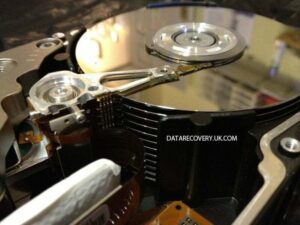
Welcome to the wild world of Digital forensics, where every byte has a story, and we play detective armed with algorithms instead of magnifying glasses! Imagine sifting through the digital rubble left behind by cybercriminals, finding the hidden treasures of evidence that will send shivers down their spines. In this realm, the journey from the crime scene (a hacked hard drive, perhaps) to the courtroom is paved with meticulous methods and high-tech gadgets that would make any tech enthusiast’s heart race.
Digital forensics isn’t just a fancy term thrown around at tech conferences; it’s the superhero of modern-day investigations. With a mix of science, creativity, and a sprinkle of patience, every investigator can uncover the truth lurking within damaged files, erased documents, and even those elusive data ghosts that don’t want to be found. Buckle up as we dive into an engaging exploration of the fundamentals, techniques, and the captivating art of recovering lost digital treasures!
Digital Forensics Fundamentals

Digital forensics is the modern-day sleuthing of the digital realm, where investigators don virtual magnifying glasses to uncover evidence buried within the binary code. With the proliferation of cybercrime, understanding digital forensics has become as essential as knowing the difference between “Ctrl+C” and “Ctrl+V.” It plays a vital role in cybercrime investigations, helping authorities piece together the puzzle of malicious activities, whether it’s catching hackers, stopping identity theft, or even solving cyberbullying cases.The digital forensics investigation process is not just a single step; it’s more of a well-choreographed dance involving several distinct phases.
Each phase is crucial in ensuring that the evidence collected is both reliable and admissible in court. The main phases include:
Phases of Digital Forensics Investigation
The digital forensics process can be broken down into a systematic sequence of phases, ensuring that no byte is left unturned.
- Preparation: Before diving into the digital abyss, investigators gear up with the right tools and knowledge, much like a knight preparing for battle. This involves training and setting up a secure environment to avoid contamination of evidence.
- Identification: Here, forensic experts identify potential sources of digital evidence—think of it as hunting for hidden treasures in a vast ocean of data.
- Collection: With evidence identified, investigators start gathering data using methods that preserve the integrity of the information. This often involves creating exact copies of data, similar to making a photocopy of a priceless manuscript.
- Examination: This phase involves meticulously analyzing the collected data. Investigators sift through the bits and bytes, searching for clues like a detective solving a whodunit mystery.
- Analysis: At this stage, the fun begins. Experts interpret the findings, looking for patterns and connections. It’s the equivalent of putting together the last pieces of a jigsaw puzzle to reveal the bigger picture.
- Presentation: Finally, the findings are prepared for presentation, often in a courtroom setting, where the evidence must be articulated clearly and convincingly, much like a captivating story with compelling characters.
Common Tools in Digital Forensics
Digital forensics professionals have an arsenal of tools at their disposal, each designed to tackle specific challenges in gathering and analyzing digital evidence. Understanding the functionalities of these tools is akin to knowing which gadget to use when fixing a car; each tool has its unique purpose and application.
- EnCase: A heavyweight champion in the digital forensics arena, EnCase offers a comprehensive suite of tools for data acquisition, analysis, and reporting, turning forensic analysts into data detectives.
- FTK (Forensic Toolkit): This tool is like a Swiss Army knife of digital forensics, offering features for data recovery, analysis, and reporting, making it a favorite amongst forensic professionals.
- Autopsy: An open-source digital forensics platform that provides a user-friendly interface for analyzing hard drives and smartphones. Its intuitive design means even novice detectives can join the investigation!
- Wireshark: The go-to tool for traffic analysis, Wireshark captures and displays data packets flowing through networks, helping investigators sniff out suspicious activities like a bloodhound on a scent.
- Volatility: This memory forensics tool allows analysts to extract and analyze volatile memory (RAM), uncovering hidden processes and data that can be critical in understanding cyber incidents.
Computer Forensics Techniques
In the rapidly evolving world of technology, computer forensics stands as the digital detective’s magnifying glass. It’s the art of digging through heaps of data, unearthing hidden treasures (or not-so-hidden digital crimes), and figuring out what happened when the pixels hit the fan. Let’s embark on a thrilling adventure into the methodologies of data acquisition, analyzing file systems, and the sacred chain of custody!
Methodologies for Data Acquisition in Computer Forensics
Data acquisition in computer forensics is like a buffet where you have to carefully select what to eat without spilling anything on your shirt (or corrupting crucial data). Here are the primary methodologies that forensic investigators utilize to gather digital evidence:
- Static Acquisition: This method involves creating a bit-for-bit copy of the data stored on a device. Think of it as cloning your favorite sandwich but ensuring no mustard gets on the original. This is typically done with write-blockers to prevent altering the original data.
- Live Acquisition: In scenarios where the device is powered on, data can be acquired while the system is running. Picture it like trying to extract a delicious slice of cake while it’s still being baked. This technique can capture volatile data such as RAM contents and active processes but risks altering the evidence.
- Network Acquisition: This involves capturing data being transmitted over a network. It’s like setting up a digital fishing net to catch every byte that swims by. Network logs, packets, and other real-time data are recorded to trace suspicious activities.
Step-by-Step Guide for Analyzing File Systems
Analyzing file systems is like embarking on a scavenger hunt through the digital wilderness. Each file system has its own unique quirks, and understanding how to navigate through them is crucial for any forensic investigator. Here’s a step-by-step guide:
1. Preparation
Gather all necessary tools and ensure the environment is secure and controlled. This includes forensic software and hardware.
2. Create a Forensic Image
Using methods like static acquisition, create an exact copy of the hard drive (or other media) to work on. This preserves the original evidence.
3. Examine the File System Structure
Look at the layout of files and folders. Understand the file allocation table (FAT) or inode structure, depending on the file system (like NTFS or FAT32).
4. Identify Deleted Files
Use forensic tools to recover deleted files. They often leave remnants behind, much like a cat leaving fur everywhere it goes.
5. Analyze Metadata
Scrutinize file metadata, which holds vital clues about when files were created, modified, or accessed. It’s like finding a diary that reveals all the secrets of the files.
6. Look for Artifacts
Search for artifacts such as browser history, system logs, and temporary files. These bits can tell the story of user actions leading up to the incident.
7. Document Everything
Maintain detailed notes and screenshots throughout the process. Documentation is key, much like a detective recording every clue in a case file.
8. Report Findings
Compile your findings into a clear, concise report that can be understood by those without a PhD in techie speak.
Importance of Maintaining a Chain of Custody
Maintaining a chain of custody is like ensuring that a priceless artifact remains untarnished and unaltered from the moment it’s discovered until it reaches the museum. In digital forensics, it is critical for the integrity of the evidence gathered. Here’s why it matters:
- Preservation of Evidence: Each time evidence changes hands, it poses a risk of alteration. A well-documented chain of custody minimizes this risk, keeping the evidence pristine.
- Accountability: It provides a clear trail of who handled the evidence and when. This helps in establishing credibility and trust in legal proceedings.
- Legal Admissibility: Courts require proof that evidence has not been tampered with. A solid chain of custody can be the difference between being deemed admissible or thrown out like yesterday’s leftover pizza.
- Reproducibility of Findings: When other investigators can follow the documented steps and arrive at the same conclusion, it strengthens the case and the investigative process.
Data Recovery in Digital Forensics
In the ever-evolving landscape of digital forensics, data recovery stands as a vital skill, akin to discovering buried treasure… if that treasure were repeatedly deleted emails, questionable selfies, and a plethora of cat videos. This section dives deep into the art and science of reclaiming lost data from damaged media, helping forensic investigators unearth the ghosts of digital past.
Processes Involved in Data Recovery from Damaged Media
Data recovery from damaged media is like performing surgery on a computer’s insides, with the hope of reviving long-lost files. The processes involved can be intricate and often require a blend of software techniques and a sprinkle of detective work. Typically, the first step is to stabilize the damaged media to prevent further data loss. This could involve creating a disk image of the faulty drive—a digital clone that allows forensic specialists to work on a copy rather than the original.Once the media is secured, various recovery techniques come into play:
- Logical Recovery: This involves using software tools to restore files that have been deleted but not yet overwritten. Think of it as a digital janitor sweeping up the deleted remnants of your digital life.
- Physical Recovery: For more severe damage, such as a hard drive crash, specialists may need to disassemble the device in a cleanroom environment to retrieve data from the platters directly—an endeavor that requires a steady hand and nerves of steel!
- File Carving: This technique scans the media for file signatures, allowing recovery of files even when the file system is damaged beyond recognition. It’s like piecing together a jigsaw puzzle with missing pieces!
Techniques for Recovering Deleted Files and Associated Challenges
Recovering deleted files often feels like trying to catch a greased pig at a county fair; it can be tricky and filled with unexpected challenges. Deleted files remain on the storage media until they are overwritten, so the time is of the essence. The primary techniques include:
- Unallocated Space Scanning: Forensic tools can identify and recover data from unallocated spaces on the hard drive, where remnants of deleted files reside. It’s a bit like an archaeological dig for digital fossils!
- File System Analysis: Analyzing the file system can provide clues about deleted files, including their original locations and attributes. It’s akin to reading a diary and gleaning secrets from the past.
- Data Undelete Tools: Software such as Recuva, EaseUS Data Recovery Wizard, and Disk Drill can restore files, depending on the severity of the deletion and subsequent usage of the drive. However, the effectiveness varies based on the circumstance—much like finding a needle in a haystack!
Comparison of Different Data Recovery Software and Effectiveness in Forensic Scenarios
In the world of data recovery, not all software is created equal. A plethora of tools exists, each boasting unique features. Let’s examine a few contenders in the digital arena:
| Software Name | Key Features | Effectiveness in Forensic Scenarios |
|---|---|---|
| Recuva | Simple interface, quick recovery, free version available | Great for basic recovery; limited deep analysis |
| EaseUS Data Recovery Wizard | User-friendly, supports multiple formats, advanced recovery | Effective for both logical and physical data loss, widely used in forensics |
| Disk Drill | Comprehensive scanning options, additional disk health tools | Highly effective for deep scans, works well with damaged drives |
| FTK Imager | Forensic imaging, supports various file systems, free | Excellent for creating forensic images, essential for legal investigations |
Data recovery software effectiveness can vary significantly based on the situation. While some tools shine in casual recovery scenarios, others are essential for forensic applications where precision and detailed analysis are critical.
“Data recovery is not just about retrieval; it is about understanding the story behind the data—every byte has a tale to tell.”
Wrap-Up
As we wrap up this thrilling journey through the ins and outs of Digital forensics, we can’t help but marvel at the blend of technology and human intuition that makes this field so essential. From the meticulous methods of data acquisition to the heart-pounding moment when a deleted file is recovered, every step is crucial in the quest for justice in the cyber world.
So, whether you’re a budding digital detective or just a curious onlooker, remember: in the age of technology, the truth is often just a few clicks away!
FAQ Overview
What exactly is Digital forensics?
Digital forensics is the process of uncovering and analyzing electronic data to investigate criminal activities, ensuring that the evidence is collected and preserved for legal purposes.
Why is chain of custody important?
The chain of custody is crucial as it documents every step of the evidence handling process, ensuring its integrity and admissibility in court.
Can deleted files really be recovered?
Yes, deleted files can often be recovered, but it requires specialized tools and techniques, and success can depend on how much the data has been overwritten.
What tools are commonly used in Digital forensics?
Common tools include EnCase, FTK, and Autopsy, each designed to assist in data recovery, analysis, and examination of digital evidence.
Is Digital forensics only for law enforcement?
No, Digital forensics is also used by businesses for internal investigations, compliance, and data recovery, making it relevant across various fields.